
SeeLog
SeeLog SoftwareParenting
4.54.00 Reviews
- Version
- 1.0.4
- Installs
- 10.00K
- Age Rating
- Everyone
Screenshots
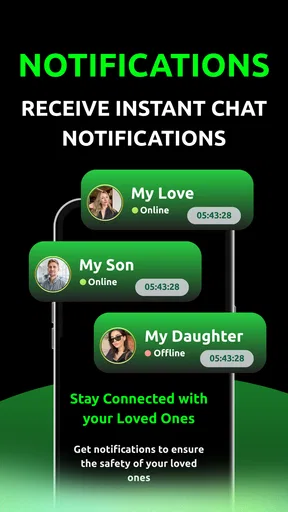
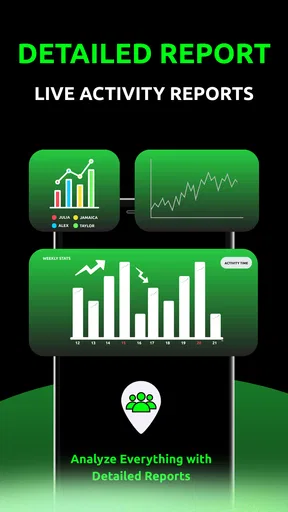
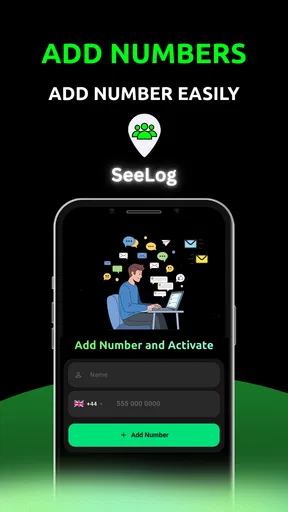
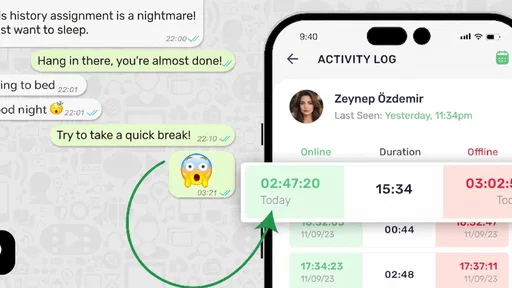
Our Review of SeeLog
 Analysis by Appyee
Parenting apps often promise to make family life more thoughtful, but the useful ones have to fit into real routines rather than create another task for parents. SeeLog is built around that idea: it is a free parenting app from SeeLog Software that aims to help parents and children become more informed and conscious. I approached it less like an entertainment app and more like a tool for opening better conversations at home.
My first impression is that SeeLog is most appealing when a family wants to slow down and pay attention to everyday choices. It is not the kind of app I would recommend simply because a child enjoys tapping through bright screens. Its value depends on how deliberately a parent and child use it together. That makes the quality of the experience less about constant activity and more about whether the app supports calm, understandable discussions.
It is available at no upfront cost, with optional purchases ranging from $1.99 to $19.99 per item. That combination is worth keeping in mind before introducing it to a child. A parent can try the basic experience without committing immediately, but should still review any purchase prompts and decide in advance how the app fits the household budget.
How SeeLog fits into a family’s trust routine
Trust is especially important in a parenting app because the audience may include children, while the decisions belong to adults. I would not judge SeeLog only by whether it sounds educational. I would also ask practical questions: Who is expected to use it? What choices does the child make? Which parts should a parent supervise? Does the app encourage discussion, or does it quietly replace it?
SeeLog’s positioning gives it a clear purpose, but the short name and simple store description do not explain every possible family workflow. That means parents should spend a little time exploring the app themselves before handing it to a child. I see that as good practice for any family-focused software, particularly when the app may become part of conversations about behavior, awareness, or personal decisions.
The developer is SeeLog Software, and the app has reached over ten thousand installs with a 4.5 average from roughly two hundred ratings. Those figures suggest that it has attracted a meaningful early audience, while also reminding me not to treat it as a universally proven parenting standard. The release is relatively new, so I would keep expectations practical and watch how well it fits a particular family rather than assuming that one approach works for everyone.
For age suitability, the listing marks SeeLog as suitable for Everyone. That is reassuring for households with younger children, but an Everyone label is not a substitute for parental judgment. A child’s reading ability, sensitivity, attention span, and understanding of personal information still matter. I would introduce it alongside an adult conversation, especially if the child is using it to reflect on situations that could feel private or emotionally important.
What I would check before a child uses it
My suggested first session would be a parent-only walkthrough. I would open every visible menu, note what information the app asks for, inspect account or profile choices, and look carefully at any screen connected to purchases. This is not because SeeLog should automatically be treated as risky; it is because parents need to know what a child will see and what decisions might appear without warning.
I would also check whether the app can be used comfortably without creating a child-owned account, whether a parent can correct or remove entries, and whether the app makes its controls understandable. Those are practical trust questions. If an app is intended to support awareness, its own choices should be easy for the family to understand.
Because the current version is 1.0.4, I would expect the experience to continue developing. Early versions can be perfectly usable, but they may also have rough edges in navigation, explanations, or account handling. I would keep the app updated through the normal device store process and revisit the settings occasionally instead of assuming that the first setup remains the best one forever.
Using the app without turning it into surveillance
The biggest parenting mistake with a reflective tool is treating it as a hidden monitoring device. I would not install SeeLog on a child’s device and then use it as a substitute for asking questions directly. A better approach is to explain what the app is for, show the child the relevant controls, and agree on which parts are private and which parts are discussed together.
This approach gives the child a sense of ownership. It also avoids a damaging pattern in which every entry becomes evidence in an argument. If the app is meant to encourage informed and conscious behavior, the family should use it to notice patterns and make choices, not to collect ammunition.
A useful household rule could be simple: the child can ask for help with anything confusing, and the parent will explain why certain information is needed before it is entered. I would also avoid asking a child to record sensitive details merely because a field is available. The safest information is often the information that never needs to be entered.
Verified controls, data choices, and everyday use
When I review a family app, I separate visible controls from assumptions. I do not treat a friendly design as proof that data handling is minimal, and I do not assume that an app is invasive simply because it asks for setup information. The practical test is whether the user can see what is happening and make meaningful choices.
With SeeLog, I would pay close attention to account controls, profile editing, deletion options, notifications, and purchase protection. These are the places where a parent can usually make the largest difference. If a child is involved, I would keep device-level purchase authentication enabled and avoid leaving payment approval to a casual tap.
I would also look for clear ways to change or remove information that is no longer useful. A family’s needs change quickly: a child may stop using the app, a parent may want to reset the routine, or an entry may have been made incorrectly. Easy correction and clear exit choices matter as much as easy setup. If those controls are difficult to find, I would treat that friction as a reason to slow down before adding personal information.
Another useful test is to observe the app during a normal week rather than judging it after one enthusiastic session. Does it ask for attention at inconvenient times? Does it encourage a child to think, or merely complete a sequence? Does the parent understand what the child is doing? These questions reveal more about trust than a polished first screen.
A realistic family scenario
Imagine a parent and an eight-year-old using SeeLog after school. The child has had a frustrating day and wants to move quickly through the app, while the parent wants to understand what happened. I would avoid turning the session into an interrogation. Instead, I would let the child operate the parts they can manage, pause when a choice is unclear, and ask one open question about the reason behind an answer.
The parent could then use the app as a prompt for a short conversation rather than demanding a perfect record. If the child does not want to discuss something immediately, that boundary should be respected. The app can remain a doorway to a later conversation, not a requirement to disclose everything on command.
This is one of the less obvious trade-offs with SeeLog: its success may depend on adult behavior more than on the software itself. A patient parent can turn a modest tool into a useful ritual. A controlling approach can make the same tool feel like paperwork or surveillance. I would therefore recommend agreeing on the routine before focusing on completion.
Three practical ways to get more from it
First, I would use SeeLog at a consistent low-pressure moment, such as after dinner or during a weekend check-in, rather than whenever a problem occurs. This reduces the chance that the app becomes associated only with mistakes or discipline. It also gives the child room to think when there is no immediate conflict.
Second, I would keep the first few sessions short and review the experience together. If a screen uses words the child cannot explain, I would not simply answer for them. I would ask what they think it means, then clarify. That turns the app into a learning exercise and helps the parent identify confusing language that might otherwise be overlooked.
Third, I would periodically remove anything that no longer serves a clear purpose. Keeping every note or response forever is not automatically more useful. A smaller, intentional record is easier to discuss and reduces the amount of personal material sitting in the app. This is a particularly important habit when a child is still learning what should remain private.
These suggestions are not flashy features, but they are where I think SeeLog can become genuinely valuable. The app’s central promise is about awareness, and awareness grows through reflection, context, and choice. It does not come from filling in as much information as possible.
Where the app may create friction
SeeLog is not the right choice for every parenting style. Parents looking for a detailed scheduling system, a shared family calendar, a school communication tool, or a dedicated safety tracker should choose an app designed specifically for that job. SeeLog’s stated purpose is broader and more reflective, so it may feel too open-ended if you want fixed reminders, automatic reports, or a strict checklist.
I would also skip it for a child who strongly dislikes guided reflection or who experiences every digital prompt as pressure. In that situation, a paper conversation, a walk, or a simple family routine may work better. The app should support communication, not become another obligation that parents enforce.
There is also a natural learning curve for adults. Because the app is intended to involve both parents and children, the best results may require explanation and shared use. Someone hoping to install it once and let it run independently may be disappointed. The trade-off is that a little involvement can make the experience more personal and less mechanical.
The optional purchase model deserves a calm review before a child gets access. The app is free to start, but individual in-app items can cost from $1.99 to $19.99. I would make sure the child knows that purchases require permission and that the parent understands which parts, if any, are optional. This is a small setup step that prevents an avoidable misunderstanding later.
Who should try SeeLog
I think SeeLog is best suited to parents who want a conversation aid rather than an all-in-one family management platform. It may work well for households that are already trying to teach children about choices, responsibility, and awareness, and want a digital structure to support those discussions.
It is also a reasonable option for parents who prefer to begin with a free app and evaluate it gradually. The Everyone rating makes it approachable for a broad family audience, while the early version status suggests that users should remain attentive to changes and report confusing behavior through the normal app-store channels if needed.
I would be more cautious if the intended user needs a highly specialized tool. A child with a clear educational, medical, accessibility, or behavioral support need may require an app built around that specific situation. SeeLog should not be treated as professional guidance or as a replacement for a parent, teacher, counselor, or clinician.
My cautious verdict
After looking at SeeLog as a family tool rather than a novelty, I see a sensible idea with a deliberately human use case. Its strongest quality is the possibility of helping parents and children pause, explain their choices, and build a shared vocabulary. That benefit appears when the app is used openly and selectively, not when it is used to monitor every detail of a child’s life.
The main limitation is that the app asks families to supply the structure around it. Parents need to inspect settings, protect purchases, discuss privacy, and decide what should or should not be recorded. Families wanting automatic organization or comprehensive controls may prefer a more specialized alternative. In my view, that is not a flaw so much as an important boundary.
At no upfront cost, SeeLog is easy to test carefully, and its current 1.0.4 release gives interested parents a straightforward starting point. I would begin with a parent-only review, then invite the child into a short shared session. If the conversations feel natural and the controls are clear, it could earn a place in the family routine. If it starts to feel like surveillance, homework, or pressure, I would step back and choose a simpler offline approach.
My recommendation is cautious but positive: try SeeLog when your goal is shared awareness and better conversations, while keeping the child informed about the routine and the parent firmly in charge of purchases and personal-information decisions. That balance is what determines whether this parenting app becomes genuinely helpful.
Verdict
Strengths of SeeLog
- Simple interface makes logging incidents quick and easy.
- Useful search tools help locate previous reports efficiently.
- Supports organized records for better follow-up and accountability.
- Can improve communication between teams handling reported issues.
- Suitable for documenting recurring problems over time.
Limitations of SeeLog
- Some features may require an account or organizational access.
- The app may feel limited for users needing advanced analytics.
- Report quality depends heavily on accurate user-entered information.
- Notifications could become distracting when many updates are active.
- Compatibility and available features may vary by device or setup.
Similar Picks in This Category
View All
Family Space
Motorola Mobility LLC.3.9

شرطة الأطفال - مكالمة وهمية
Oub Apps4.1

Findmykids: Parental Control
LETEM LTD4.6

Pregnancy + | Tracker App
Philips Electronics UK Limited4.8

Policía de niños - para padres
Kids police4.7

Pregnancy App
Amila4.9
Frequently Asked Questions
What is SeeLog and what can I use it for?
SeeLog is designed to help users organize, record, and review information in a convenient digital format. Depending on the version and platform, it may be useful for keeping personal logs, tracking activities, saving notes, or monitoring selected events. Before downloading, check the app’s current description and screenshots because available tools and supported use cases can vary between Android and iOS releases.
Is SeeLog free to download and use?
SeeLog may be available as a free download, but some features could require in-app purchases, a subscription, or a premium upgrade. Users should review the store listing carefully to understand what is included in the basic version and whether advertising, usage limits, or locked functions apply. Pricing and available plans can also differ depending on the device, country, and operating system.
Does SeeLog require an account or internet connection?
The requirements depend on how SeeLog stores and synchronizes user information. Some functions may work offline, while account-based features, backups, synchronization, notifications, or access across multiple devices may require an internet connection. During setup, review the permissions and sign-in options carefully. If privacy or offline access is important to you, confirm these details in the latest store information before installing.
Is my information safe when using SeeLog?
Before entering personal, location-related, or sensitive information into SeeLog, users should read the app’s privacy policy and Google Play or App Store data-safety details. These documents explain what information may be collected, why it is used, and whether it is shared with third parties. Also check whether the app offers password protection, encryption, account deletion, or backup controls.
Which devices and operating systems support SeeLog?
SeeLog’s compatibility depends on the publisher’s latest release and the requirements listed in the relevant app store. Check the supported Android version, iOS version, device permissions, and available storage before downloading. Older phones or tablets may not support every feature, while some functions could be platform-specific. Keeping your operating system updated can also help prevent installation and performance problems.
